Introduction
In this article, I introduce how to use ECMWF's anemoi. Anemoi is a new framework for training and inference AI numerical weather prediction (NWP) models, taking over the ai-models PyPI package.
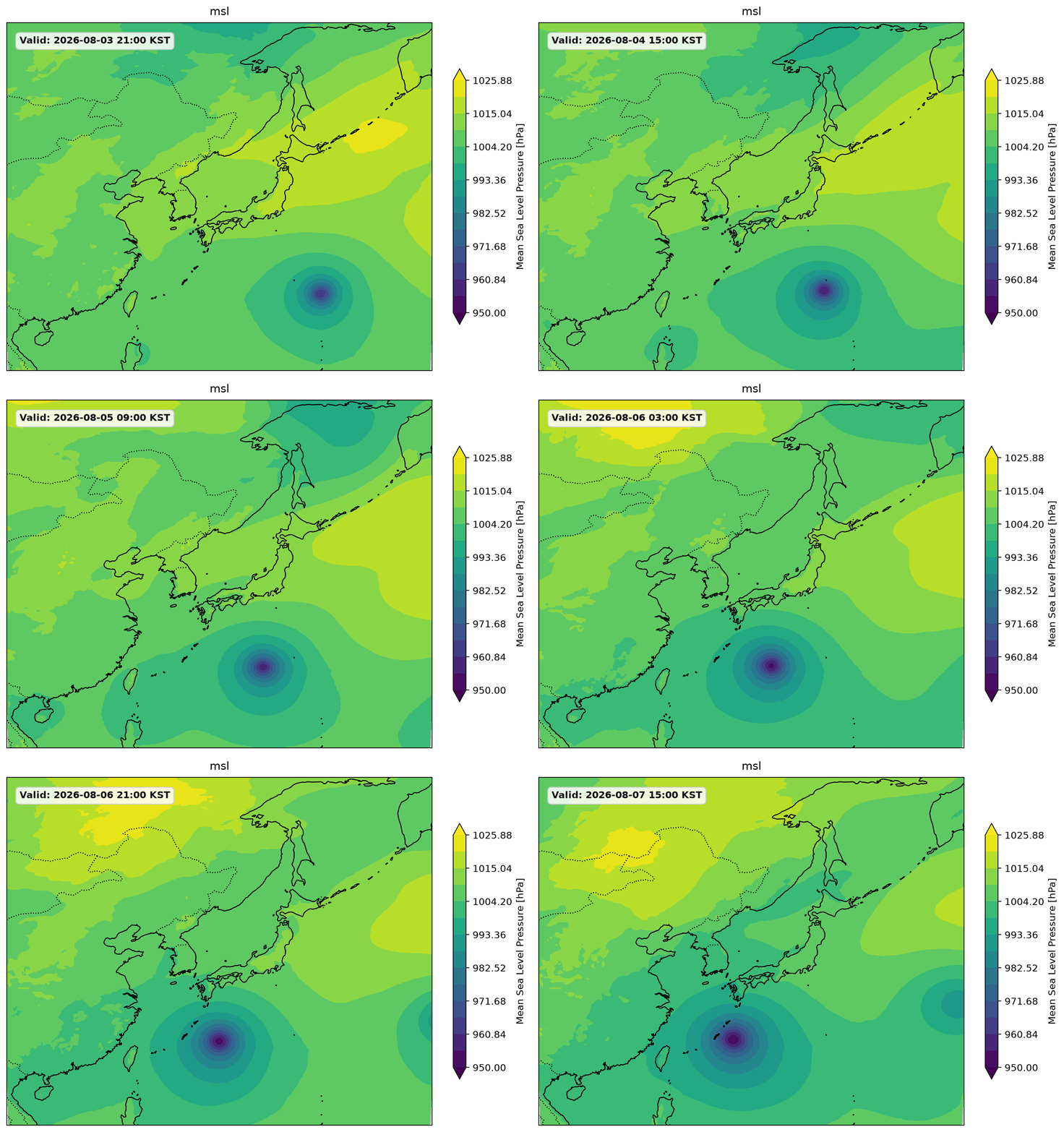

Environmnet
- NVIDIA GeForce RTX 4080
Docker file
# Start from NVIDIA's official CUDA 12.1 base image on Ubuntu 22.04
FROM nvidia/cuda:12.1.1-cudnn8-devel-ubuntu22.04

# Prevent interactive prompts during package installation
ENV DEBIAN\_FRONTEND=noninteractive

# 1\. Install system dependencies, including libraries needed for Cartopy

RUN apt-get update && apt-get install -y
software-properties-common
git
wget
curl
libeccodes0
libeccodes-dev
libeccodes-tools
libproj-dev
libgeos-dev
&& rm -rf /var/lib/apt/lists/\*

# 2\. Add the deadsnakes PPA to get Python 3.11, then install it

RUN add-apt-repository ppa:deadsnakes/ppa && apt-get update && apt-get install -y
python3.11
python3.11-dev
python3.11-distutils
&& rm -rf /var/lib/apt/lists/\*

# 3\. Set Python 3.11 as the default 'python' and 'python3' command

RUN update-alternatives --install /usr/bin/python3 python3 /usr/bin/python3.11 1
&& update-alternatives --install /usr/bin/python python /usr/bin/python3.11 1

# 4\. Install pip for Python 3.11

RUN curl -sS [https://bootstrap.pypa.io/get-pip.py](https://bootstrap.pypa.io/get-pip.py) | python3.11

# 5\. Copy the requirements file into the container

COPY requirements.txt /workspace/requirements.txt

# Set the working directory

WORKDIR /workspace

# 6\. Install PyTorch first, specifying the CUDA 12.1 index

# (We separate this so torch pulls the correct GPU wheels before requirements.txt runs)

RUN pip install --no-cache-dir torch torchvision torchaudio --index-url [https://download.pytorch.org/whl/cu121](https://download.pytorch.org/whl/cu121)

# 7\. Install the rest of the python packages from requirements.txt

RUN pip install --no-cache-dir -r requirements.txt

# Start bash by default

CMD \["bash"\]
Place the following requirements.txt file in the same directory with the Dockerfile above.
torch>=2.1.0
numpy>=1.24
huggingface\_hub
pandas
xarray

anemoi-models==0.9.3
anemoi-transform==0.4.2
anemoi-datasets==0.5.26
anemoi-graphs==0.6.4
anemoi-inference

earthkit-data>=0.10
earthkit-regrid>=0.2
ecmwf-opendata>=0.3

certifi

matplotlib>=3.7
cartopy>=0.22

jupyter
Build the Dockerfile.
docker build -t anemoi .Run with the image.
docker run --gpus all -it --rm -v /home/user/workspace:/workspace anemoiFor RTX 4080
The original anemoi uses flash attention which is compatible only to Ampere (A100, H100, RTX30XX). We need a community-based fix.
Clone the following github repository.
git clone https://github.com/huggingface/AIFS-single-2.0-on-all-GPUsBy the way, a small modification plotting only the South Korea region was made here:https://github.com/SungjunEom/AIFS-single-2.0-on-all-GPUs-south-korea.git
In the docker environment, change directory to the cloned repository and execute the following command.
python run_forecast.py --lead-time 24 '딥러닝' 카테고리의 다른 글
| [Python] pdb debugging (0) | 2026.02.20 |
|---|---|
| N neurons 라는 말은? (0) | 2023.12.24 |
| Attention is all you need (0) | 2023.07.10 |
